References
Go to Manage > References to import a bibliography. This must be in RIS or NBIB formatted plain text. The file can have endings of .txt or .ris or .nbib. You can also import references from Zotero 7 - ensure that Zotero is open and running first, and enable the local API in Zotero Settings -to allow QualCoder to communicate with Zotero. The PDF or EPUB reference files in Zotero will also be imported.
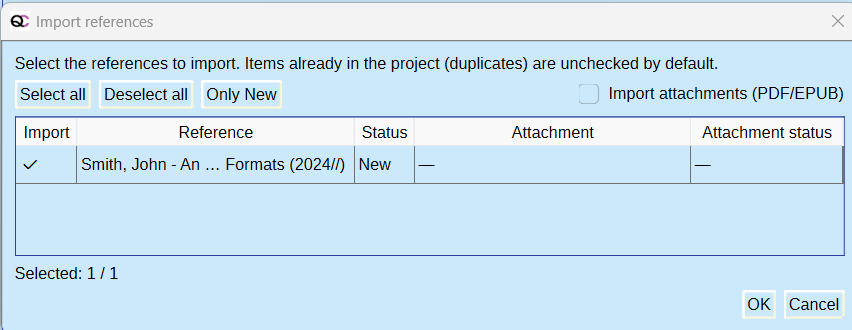
Press the import button, and select a bibliography file (.txt, .nbib., .ris). This example was from a text file with a reference in ris format - see Examples folder bibliography.ris. Options are to import all, new references, or specific references. If there are attachments, such as with a Zotero import, these can be imported also.
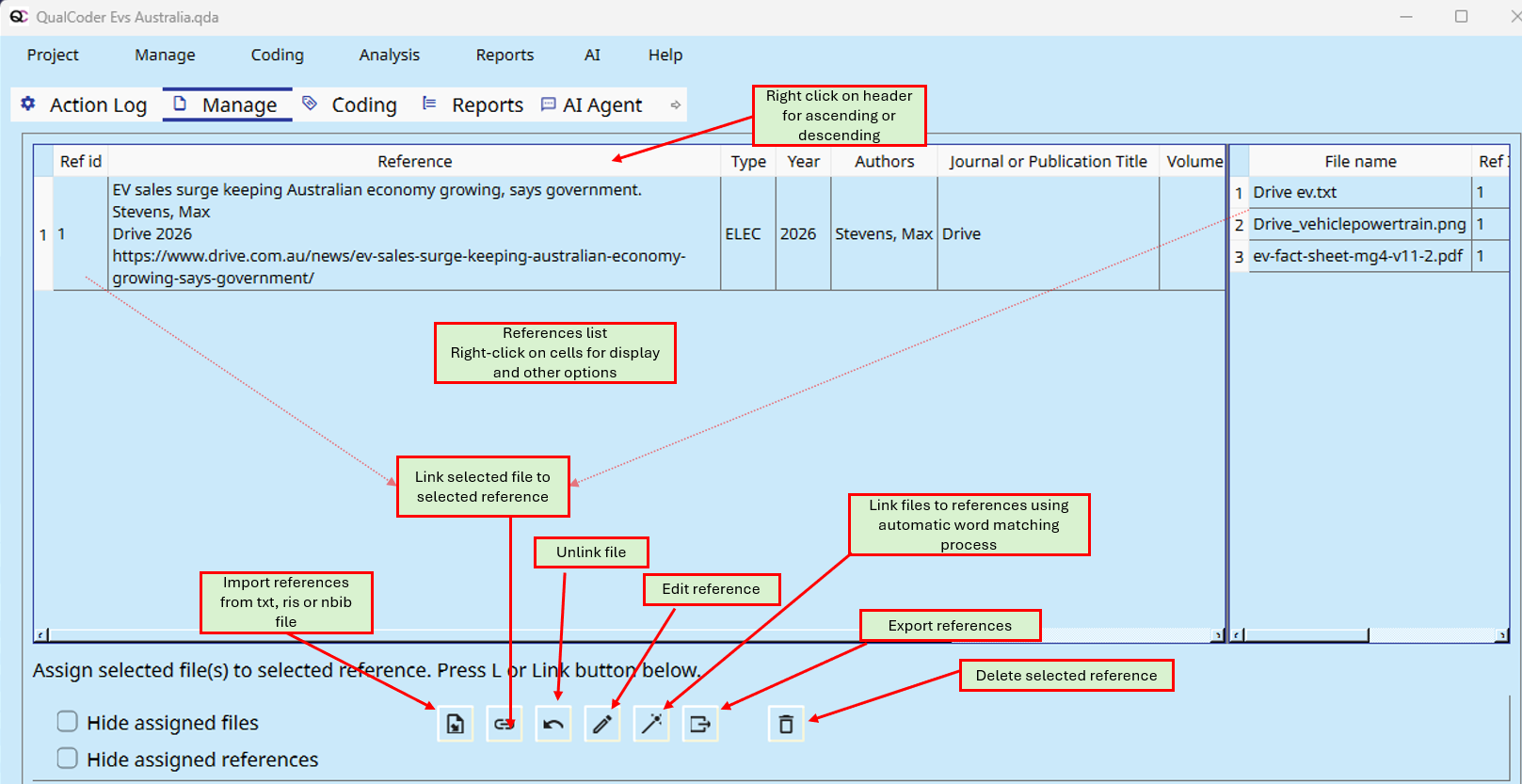
You can link, and unlink, references to files. You can manually edit an imported reference. You can delete a reference.
In the Manage Files screen there will be four new attribute columns: Ref_Authors, Ref_Title, Ref_Type, Ref_Year

Files linked to references will have details in those columns.
References can be displayed in analysis - such as the Analysis - Code Retrieval
You can export all references to ris format with the export button.